


Introduction
Education today is increasingly digital, and colleges are investing in technologies that make learning more accessible, flexible, and integrated. One prominent example is UGA eLC, short for eLearning Commons, the official learning management system (LMS) of the University of Georgia.
Backed by the university’s IT and academic departments, it is the digital hub for students, faculty, and staff to collaborate, share resources, track assignments, and facilitate online or blended learning. Whether you’re taking a fully online course or just need a place to review lecture notes, eLC is your go-to platform.
In this comprehensive guide, we’ll explore how it works, how to use it effectively as a student or instructor, how it compares to other LMS platforms, and tips for troubleshooting common issues. If you’re a current student, prospective Bulldog, or faculty member, this article will empower you to get the most out of your online learning experience.
What is UGA eLC?
UGA eLC (eLearning Commons) is the University of Georgia’s official Learning Management System (LMS), powered by Brightspace by D2L. Every course listed in Athena, UGA’s student information system, has a corresponding shell in eLC.
Key Features of UGA eLC
- Course Management: Professors can upload syllabi, post lectures, assign coursework, and grade.
- Student Access: Students can access course materials, participate in discussions, and submit tasks.
- Integrated Tools: eLC integrates with tools like Zoom, Kaltura, Turnitin, and eTextbooks.
- Access Anywhere: Cloud-based, allowing access from any device and location with the internet.
Why UGA eLC Matters
- Centralizes all course activity in one digital location.
- Enables blended learning, online collaboration, and remote education.
- It fosters academic success by providing real-time grading and feedback.
Accessing UGA eLC
Getting started with eLC is simple, but new users often face some confusion. Here’s a breakdown to help you access eLC effortlessly.
How to login to UGA eLC
- Visit: https://elc.uga.edu
- Click “UGA MyID Login” unless you’re an external user.
- Enter your UGA MyID and password.
- Authenticate via ArchPass Duo (two-step verification).
- Once logged in, you’ll see the My Home dashboard with all your current courses.
Beneficial Tips
- Use Chrome or Firefox for best compatibility.
- Log in via eLC at least once before your class starts to ensure access.
- Enable push notifications for assignment deadlines and discussion activity.
Troubleshooting Common Login Issues:
- Incorrect Password: Reset via MyID portal.
- ArchPass Issues: Contact the EITS help desk at helpdesk@uga.edu.
- Missing Courses: Professors may delay publication; contact the instructor if issues persist.
Navigating the UGA eLC Dashboard and Course Interface
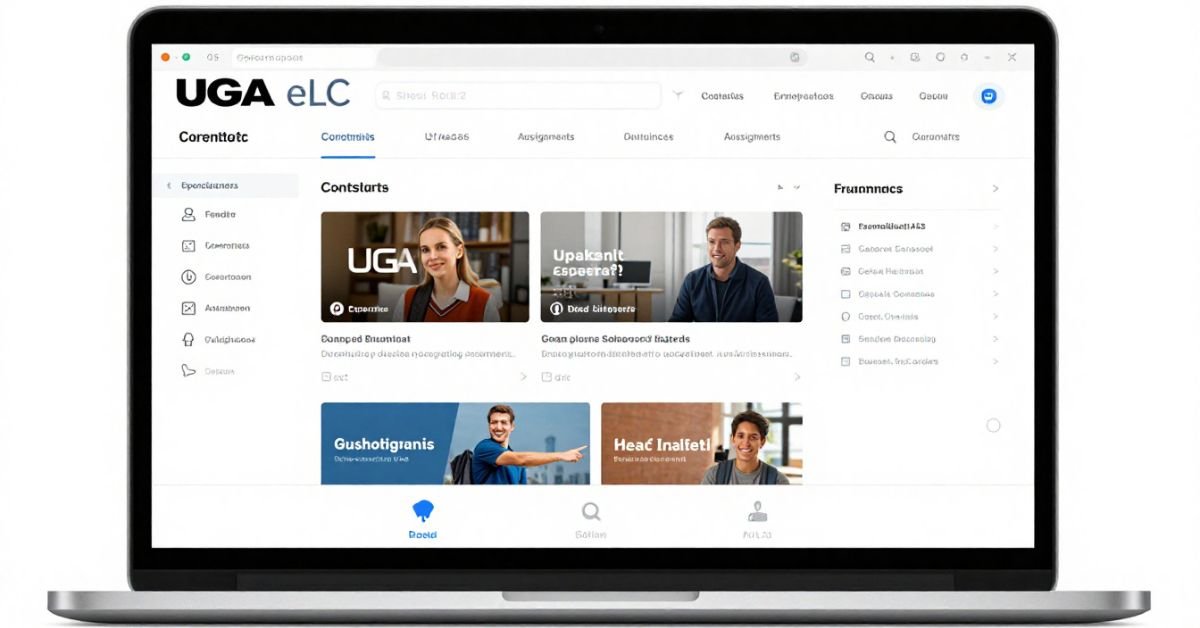
After logging in, students and faculty are brought to a personalized dashboard. Understanding the layout improves productivity and usability.
Main Sections of the Dashboard
- Top Navigation Bar: Access to homepage, courses, messages, and calendar.
- Course Tiles: All the current courses you’re enrolled in.
- Announcements Feed: Important course-specific or system-wide updates.
- Pinned Courses: Frequently accessed courses for quick links.
Inside a Course Shell
Each course includes consistent navigation tabs:
- Content: Lecture slides, reading materials, syllabus.
- Assignments: Submission portals and rubrics.
- Grades: Real-time tracking of performance.
- Discussions: Instructor-led or peer-based forum threads.
Pro Tips
- Use the calendar tool to view upcoming due dates.
- Pin time-sensitive courses for quick access.
- Use bookmarks to mark pages for further study.
Using UGA eLC for Students
As a student, knowing how to leverage it’s digital tools can significantly enhance your academic performance.
Must-Know Tools for Students
- eTextbook Integration: Access digital textbooks directly in the course.
- Kaltura Video Assignments: Upload and share video presentations.
- Quizzes and Self-Assessments: Practice before exams.
- Dropbox: Turn in assignments online with an optional Turnitin plagiarism scan.
Time Management in eLC
- Sync your eLC calendar with Google Calendar or Outlook.
- Use task checklists provided by instructors.
- Monitor feedback and revise submissions accordingly.
Additional Student Resources
- Help Desk Support: ugehelp@uga.edu
- Accessibility Features: Closed captions, screen reader compatibility, alt tags.
Faculty Use of UGA eLC
Professors play a central role in maximizing eLC’s potential.
Instructor-Friendly Features
- Course Builder: Design modules and curriculum structure intuitively.
- Rubrics: Build custom grading criteria.
- Announcements: Communicate dynamically with students.
- Analytics: View engagement data and learning patterns.
Course Management Best Practices
- Release modules weekly to keep students engaged.
- Use bulk upload for assignments and quizzes.
- Automate grade calculations for easier management.
Integration with Teaching Tools
| Tool | Purpose | Integrated with eLC? |
| Zoom | Live sessions and office hours | ✅ |
| Kaltura | Video uploads and lectures | ✅ |
| Turnitin | Plagiarism detection | ✅ |
| Office 365 | Document collaboration | ✅ |
UGA eLC Mobile Access
While it doesn’t have its own mobile app, students can use Brightspace Pulse, D2L’s official mobile app.
Brightspace Pulse App
- Available on iOS and Android
- Syncs with your eLC account via secure login
- Real-time updates: Grades, assignments, announcements
Benefits of Mobile Learning
- Stay notified about due dates
- Review course content during commutes or downtime
- Submit mobile-friendly assignments (where allowed)
Installation Steps
- Download Brightspace Pulse.
- Search for University of Georgia.
- Use your UGA credentials to log in.
Comparing UGA eLC with Other LMS Platforms
UGA eLC is powerful, but how does it stack up against popular alternatives like Canvas or Blackboard?
LMS Comparison Table
| Feature | UGA eLC (Brightspace) | Blackboard | Canvas |
| Institution Used | UGA | Many universities | Common in K–12/HE |
| Mobile Access | Pulse App | Native app | Native app |
| Ease of Use | Moderate | Steeper learning | Very intuitive |
| Analytics Tools | Advanced | Basic | Moderate |
| Integration Options | Extensive | Limited | Good |
Conclusion: It combines the robust features of Brightspace with UGA-specific customizations, making it a solid choice for higher education.
Common Challenges and How to Solve Them in UGA eLC
Even top-notch platforms like eLC have occasional hiccups.
Frequent Issues & Solutions
- Can’t See a Course?
- Solution: Wait up to 24 hours after enrollment, then contact your professor.
- Assignment Won’t Submit?
- Solution: Clear your cache or try another browser.
- Video Not Playing?
- Solution: Enable Flash, or download the video from Kaltura.
Best Practices for Smooth eLC Performance
- Use updated browsers only.
- Avoid multiple logins from various devices.
- Always back up your work before submission.
How UGA eLC Improved Learning Outcomes
“Biology 1107 – Online Engagement Boost”
Challenge: Low engagement in asynchronous lectures.
Strategy Used
- The instructor embedded interactive Kaltura quizzes in videos.
- The instructor utilized the Analytics tool to pinpoint students who were at risk.
- The instructor implemented projects that relied on discussion.
Outcome
- Engagement increased by 47%.
- Weekly assignment completion rose from 68% to 93%.
- Student satisfaction rates improved significantly.
This demonstrates how it, when creatively used, can reshape learning experiences.
Best Practices for Mastering UGA eLC
Here are some tips for maximizing the UGA eLC learning experience:
Do
- Check daily for updates and calendar notifications.
- Use bookmarks to quickly revisit key resources.
- Communicate regularly via discussion boards.
Don’t
- Please avoid waiting until the last minute to submit assignments.
- Please consider reviewing professor feedback in the gradebook.
- Skip tutorials or help resources.
Expert Advice
“Using eLC to its fullest means treating it like a classroom—not just a digital folder.”
— Dr. Janet Phillips, UGA Dept. of Instructional Design
FAQs
What is UGA eLC used for?
UGA eLC is used by students and instructors at the University of Georgia to manage online course content, assignments, grades, and communication.
How do I access my courses on eLC?
Log in at elc.uga.edu using your UGA MyID, then check the Dashboard for your current courses.
Can I use UGA eLC on mobile?
Yes, with the Brightspace Pulse mobile app. It supports most core functions, like checking grades, announcements, and deadlines.
Is eLC the same as Athena?
No. Athena is for enrollment and records; it is the learning platform. However, every course in Athena has a corresponding eLC shell.
Who do I contact for help with eLC problems?
You can contact UGA’s eLC Help Desk or EITS at helpdesk@uga.edu.
Conclusion
It is more than just a digital folder; it’s a full-scale academic platform designed to improve learning, foster communication, and support successful course delivery at every level. Whether you’re a student juggling courses or a professor looking to engage learners, eLC delivers flexibility and tools that make education smoother and more effective.
With smart use of announcements, grading tools, analytics, and mobile access, it empowers everyone in the UGA learning community. By following this guide and adopting best practices, you’ll not only solve common issues but also transform the way you engage with your education.
Moreover, as digital learning continues to evolve, platforms like UGA eLC are no longer just supplementary tools, they’re foundational to the modern university experience. With its robust features, seamless integration with other academic tools, and user-friendly interface, eLC ensures that learning at the University of Georgia remains accessible, interactive, and student-focused. Whether you’re attending classes on campus or participating remotely, mastering UGA eLC equips you with the skills and support needed to thrive in a technology-driven academic environment. Embrace the platform, stay engaged, and let eLC be your guide to academic excellence.